
Moving data may sound very boring, but in a way, I am glad when it is! Anything “exciting” about data migration usually comes when you face issues or challenges.
Such challenges can easily disrupt your database migration or even cause data loss.
So how can you protect yourself against such problems?
The answer is in choosing the right data strategy for your database migration. This requires a complete understanding of the major types of data migration available.
To help you plan your data migration strategy, I have created this detailed guide. It will help you keep everything running smoothly.
Ready to make your data migration less stressful? Let’s discuss the four main types of data migration you can use, in the easiest way possible!
Quick Overview: Four Main Types of Data Migration
Get a brief understanding of the main data migration types using the table below
| Migration Type | What Moves | Common Reasons |
| Storage Migration | Files and blocks | Hardware upgrades, cost savings |
| Database Migration | Structured data, schemas | Platform changes, performance upgrades |
| Application Migration | Whole apps with their data | Modernization, cloud moves |
| Cloud Migration | Anything to the cloud | Scalability, cost, innovation |
Main Types of Data Migration
Here is a more detailed look at the four major types of data migration available
1 . Storage Migration
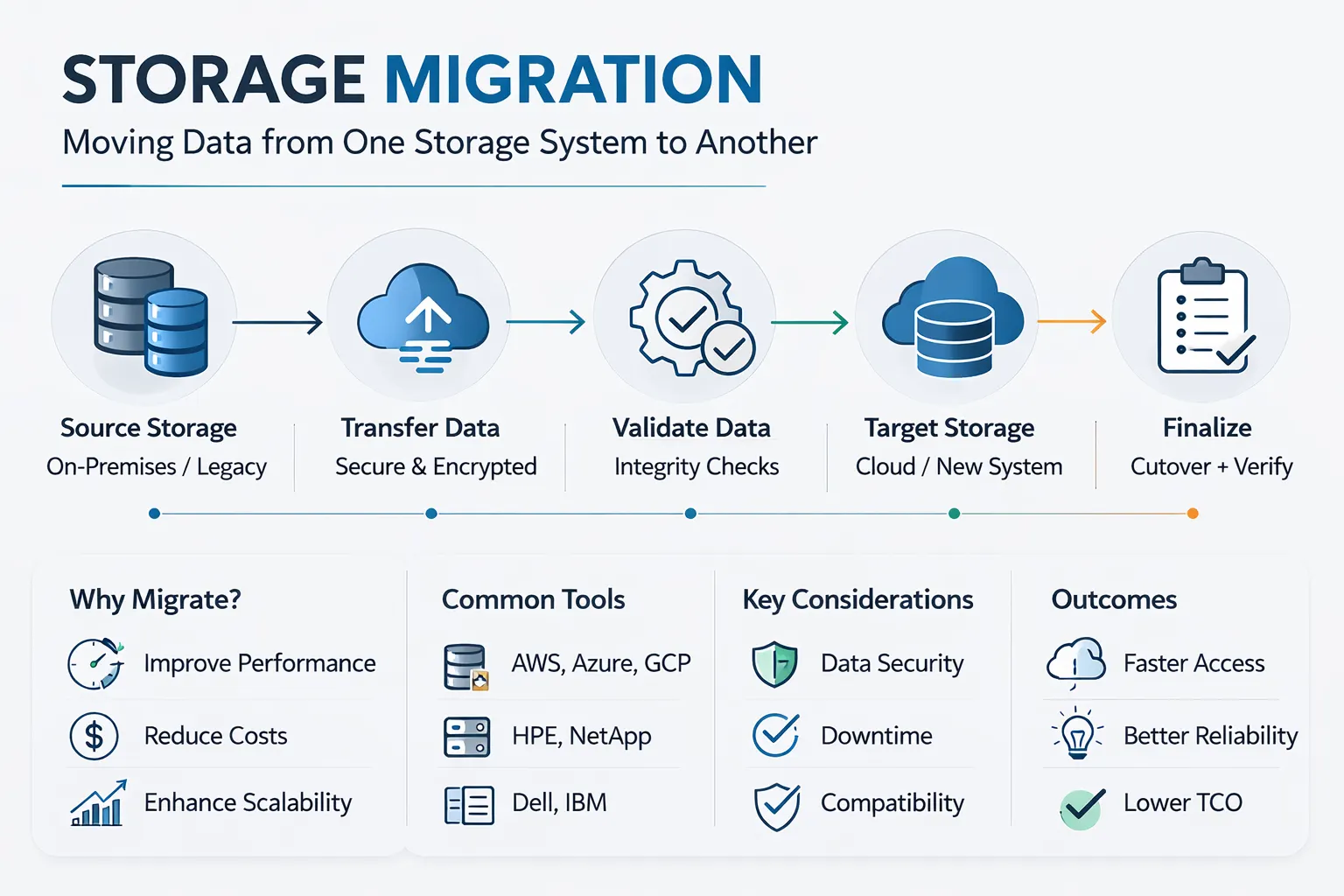
Among all available options, storage migration is considered the simplest way to perform database migration. It mainly refers to physically moving your data from one location to another.
In most cases, this involves manually copying your data into a new storage.
Useful For:
- Upgrading old hard drives to much faster solid–state drives (SSDs)
- Moving your direct-attached storage to a flexible storage area network
- Migrating your data to a more cost-effective storage option
Potential Challenges
You may experience disruptions to your data access during this transfer. This means users lose their connections and the company incurs significant downtime.
To avoid such issues, plan ahead for any big data migration.
2 . Database Migration
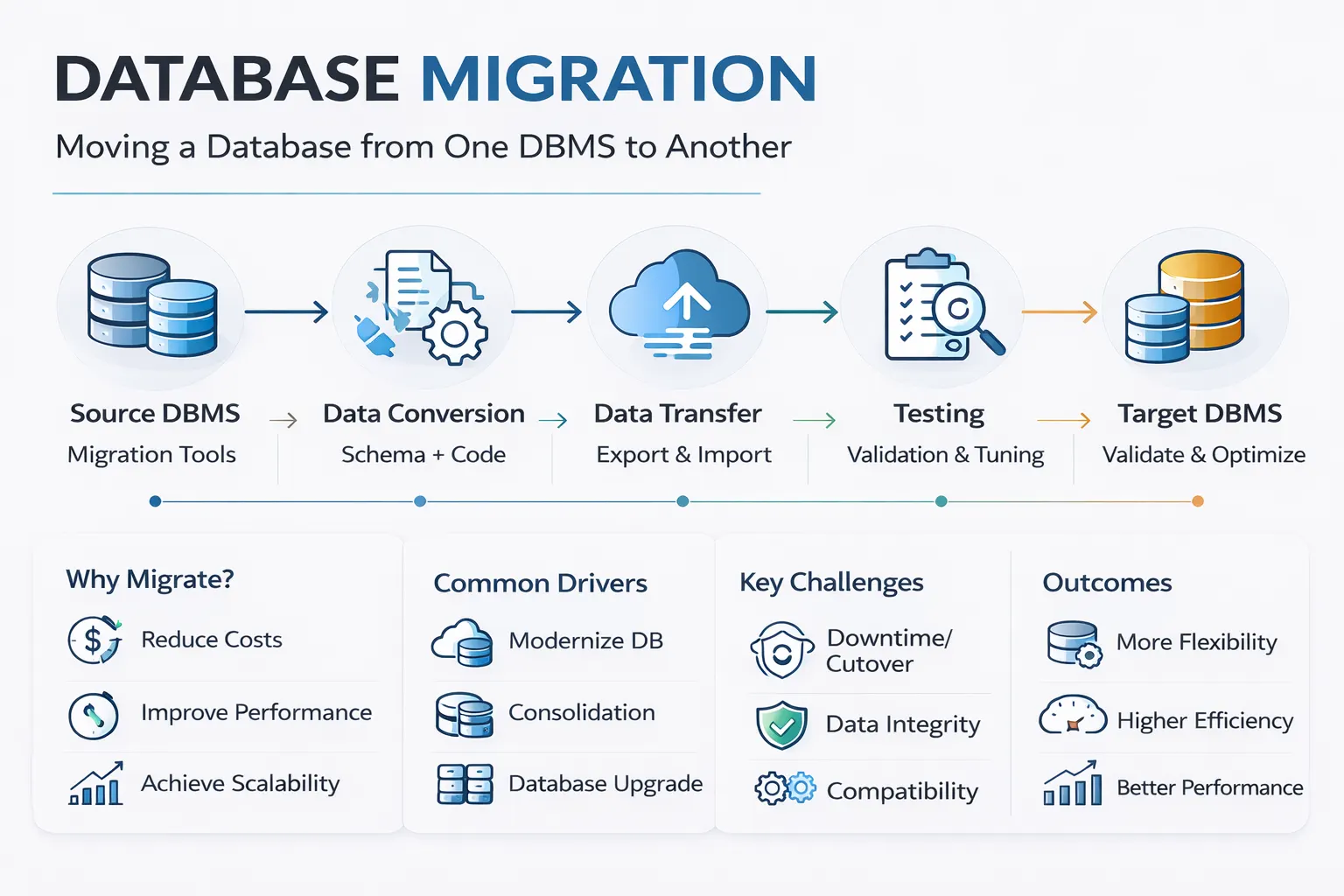
A database migration involves moving structured data from one system to another. Customer records, transactions, and even product descriptions are normally found in such structured data.
Because such data needs to be rearranged in the target system as well, complications may arise.
Useful For:
- Moving from Oracle to PostgreSQL
- Upgrading an old SQL Server
- Moving off of on-premise data storage to a cloud-based solution.
Potential Challenges
All databases have specific relationships between the data points involved. Losing these relationships (or links) between them can break the entire structure.
During migration, it is important to reserve and replicate these connections.
Moreover, you may also face inconsistencies like:
- Compatibility in your schema
- Conversions between data types
- Maintaining the same performance
The solution? Make sure that you use specialized database migration tools that can handle your structured data. This will automate your migration and will protect against human error.
3 . Application Migration
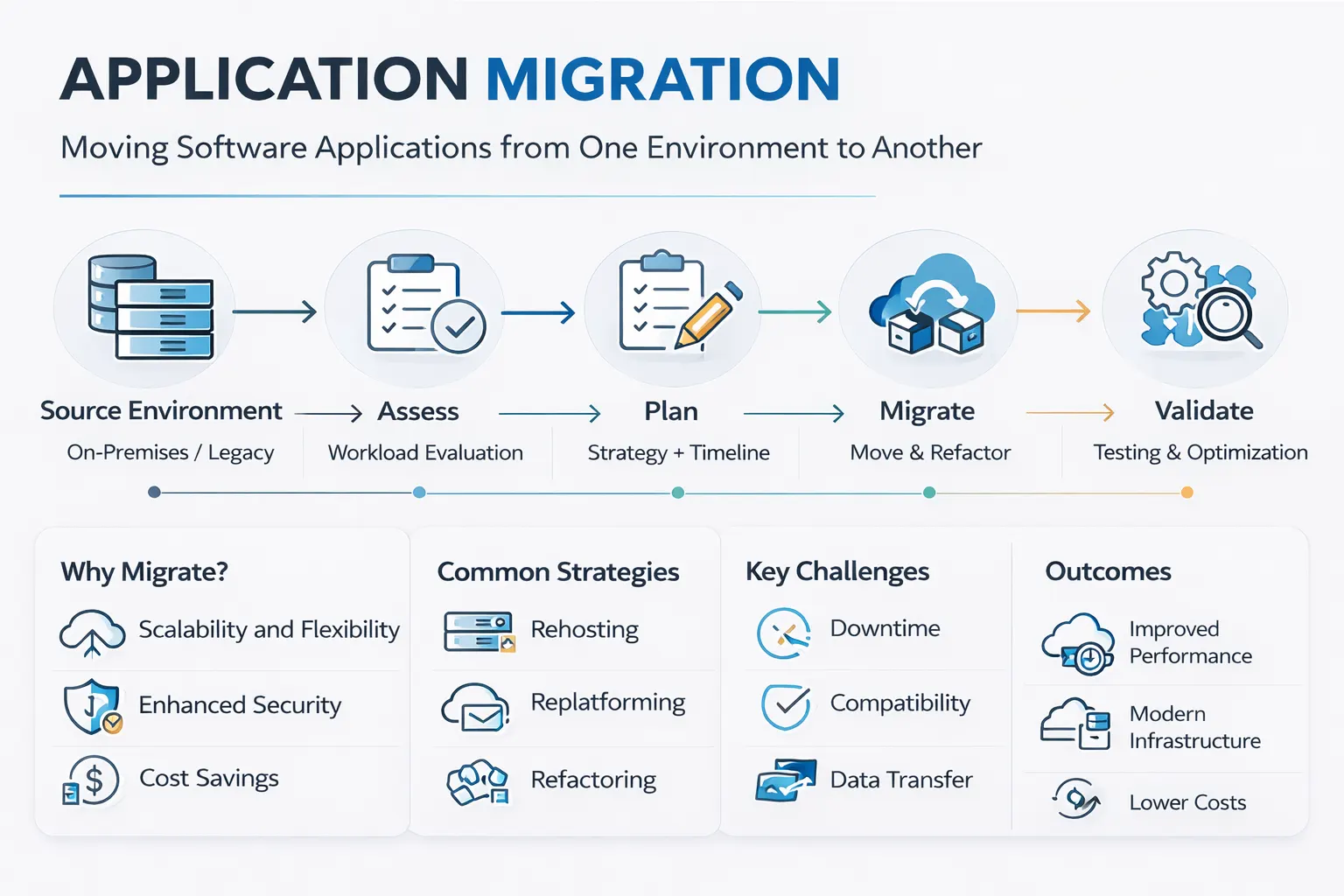
If you thought moving structured data posed challenges, wait till you try to move an entire application!
In application migration, you need to move an entire software application and its data to another system. This means moving everything from code, configurations, and dependencies in your data migration.
Useful For:
- Upgrading legacy CRM systems to a modern version
- Transferring your ERP system to a new infrastructure
- Migrating your custom applications to new servers
Potential Challenges
Moving an entire application comes with its own set of problems. Even a minor error or missing file can render the entire application unusable.
To avoid this, experts recommend using a framework called “6 R’s”. It includes the following application migration strategies:
| Strategy | What It Means | When to Use |
| Rehost | Lift and shift (move as-is) | Quick moves, minimal changes needed |
| Replatform | Lift, tinker, shift (minor tweaks) | Need some cloud benefits without a full rebuild |
| Refactor | Modify code for the new environment | Want better performance, scalability |
| Rebuild | Rewrite from scratch | The old app can’t meet the new needs |
| Retire | Shut it down | No longer needed |
| Retain | Keep it where it is | Too risky or costly to move |
4 . Cloud Migration
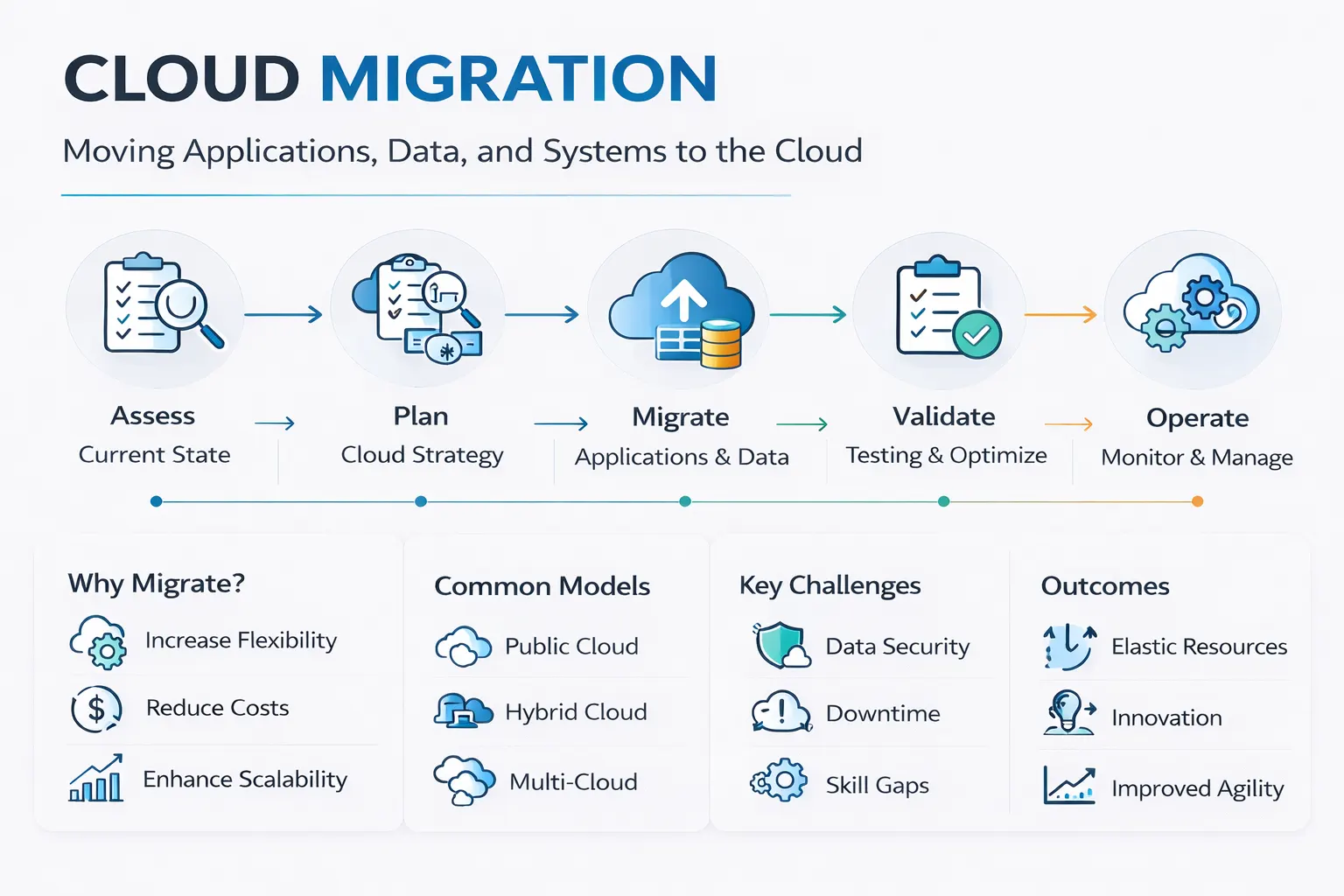
Cloud migration has become a very generic term. You can use it for most of the data migration types mentioned above
The only defining factor of a cloud migration is moving your data to the cloud
Useful For
- Better scalability to grow without the need for hardware
- Higher cost savings to pay only what you require
- Access to innovations like AI and other modern tools
- Easier backup and recovery systems for better protection
One of the most popular methods of company data migration today is on-premises-to-cloud migration. This entails transferring information from your data centers to cloud service providers such as AWS or Azure.
Potential Challenges
This method has similar challenges and risks as the other methods above.
How to Choose the Right
Migration Type
Confused about which option will best suit your needs. To help you decide, ask yourself the following questions
| Question | Likely Migration Type |
| Are you just upgrading hardware? | Storage migration |
| Are you changing database platforms? | Database migration |
| Are you moving whole applications? | Application migration |
| Is the destination a cloud provider? | Cloud migration (could be any of the above) |
Conclusion
The key to designing a successful migration strategy is to gain a better comprehension of the different types of data migration.
It will help you decide on the right type of data migration to perform. But only deciding the right strategy is not enough to protect your data.
For the best results, you will also need a dedicated partner to help execute your data migration flawlessly. This means connecting with an expert who specializes in all types of data migration.
At Augmented Systems, we have a team of experts who can guide you in your data migration. Our team has years of experience assisting businesses with the intricate issues that arise during data migration.
With our support, you will be able to migrate your data using proper security guidelines. Using these proven methods ensures that your data never falls into the wrong hands.
Ready to strategise your next data migration? Contact Augmented Systems today to receive a free consultation!
FAQs
1. What are the main types of data migration?
The four main types of data migration are storage migration (moving files), database migration (moving structured data), application migration (moving entire software systems), and cloud migration (moving anything to the cloud). Each type requires different strategies and tools.
2. What is database migration?
Database migration is the process of moving structured data from one database platform to another. This could mean switching from Oracle to PostgreSQL, upgrading SQL Server versions, or moving on-premise databases to cloud-managed services like Amazon RDS.
3. What is involved in application migration?
Application migration means moving an entire software application—including its code, configurations, dependencies, and associated data—to a new environment. Common approaches include rehosting (lift-and-shift), replatforming (minor tweaks), or refactoring to improve cloud performance.
4. What is on-premises to cloud migration?
On-premises-to-cloud migration is the process of moving workloads from local data centers to public cloud providers such as AWS, Azure, or Google Cloud. Benefits include better scalability, cost savings, and access to modern AI and analytics tools.
5. When should a company hire a data migration consultant?
You should hire a data migration consultant when dealing with complex migrations, massive datasets, critical systems where downtime is costly, or when previous migration attempts have failed. A consultant brings proven methodology and experience to avoid common pitfalls.