
Is the fear of losing your data keeping you from migrating it to a new system?
Trust me, I have been there.
Before gaining the experience of successful data migration processes, I too thought it was all about luck!
In all honesty, data migration is actually all about getting the right strategy. Breaking down the process into simple steps can make data migration a lot more manageable.
In this guide, I will help you create your own data migration process and its steps. This will help you move your information without losing any sleep or data.
Let’s first start by learning the basics.
What is Data Migration?
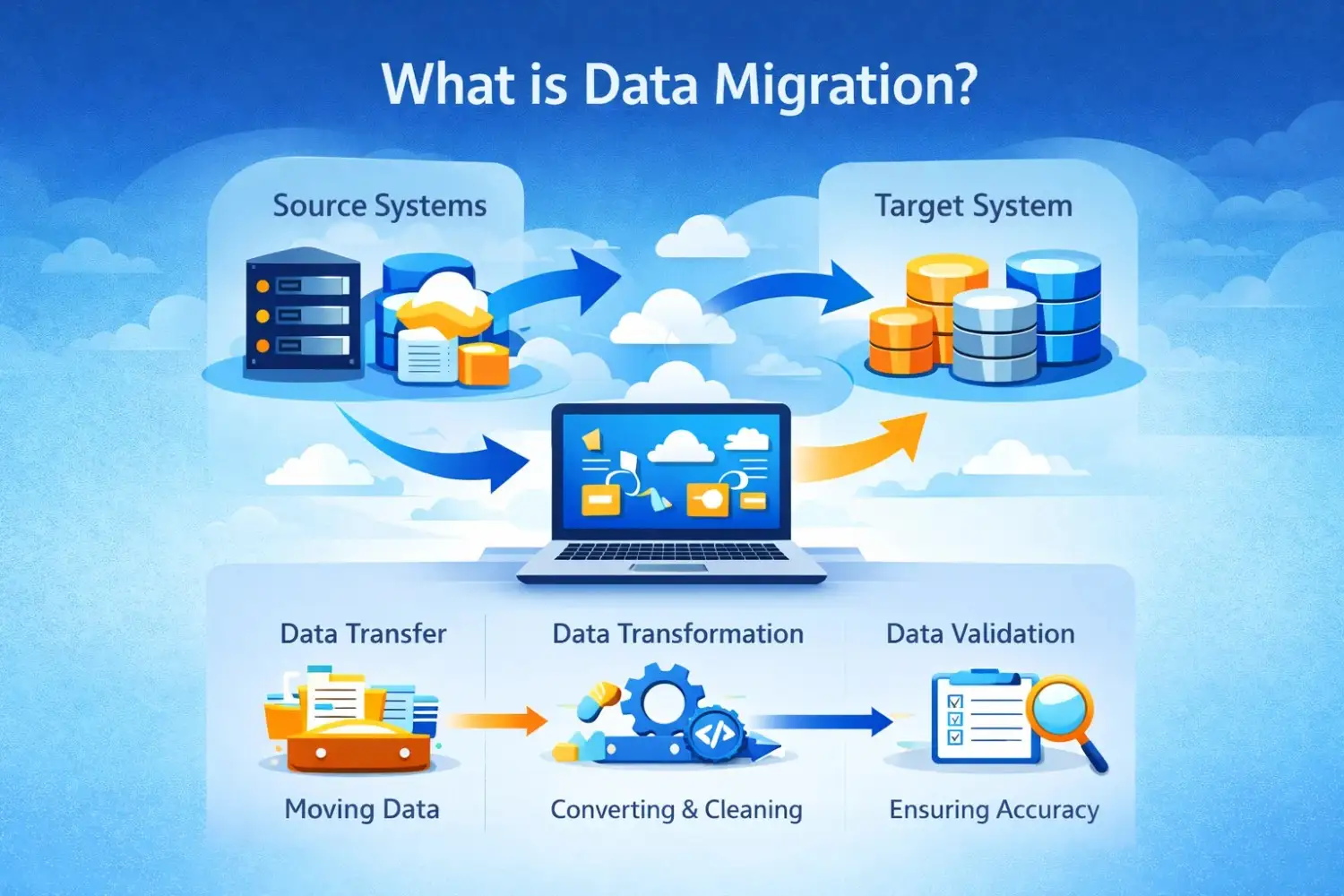 Data migration is the process of moving data from one system to another. It may be either a source for a new database or a local-to-the-cloud source.
Isn’t that just another way of taking a data backup? Well, not really! Migration is about transferring your data to a system that you will use as your primary device.
A good data migration strategy is necessary for success in this process. In the absence of this, you may be prone to serious data loss and business disturbance.
The Data Migration Process: Step by Step
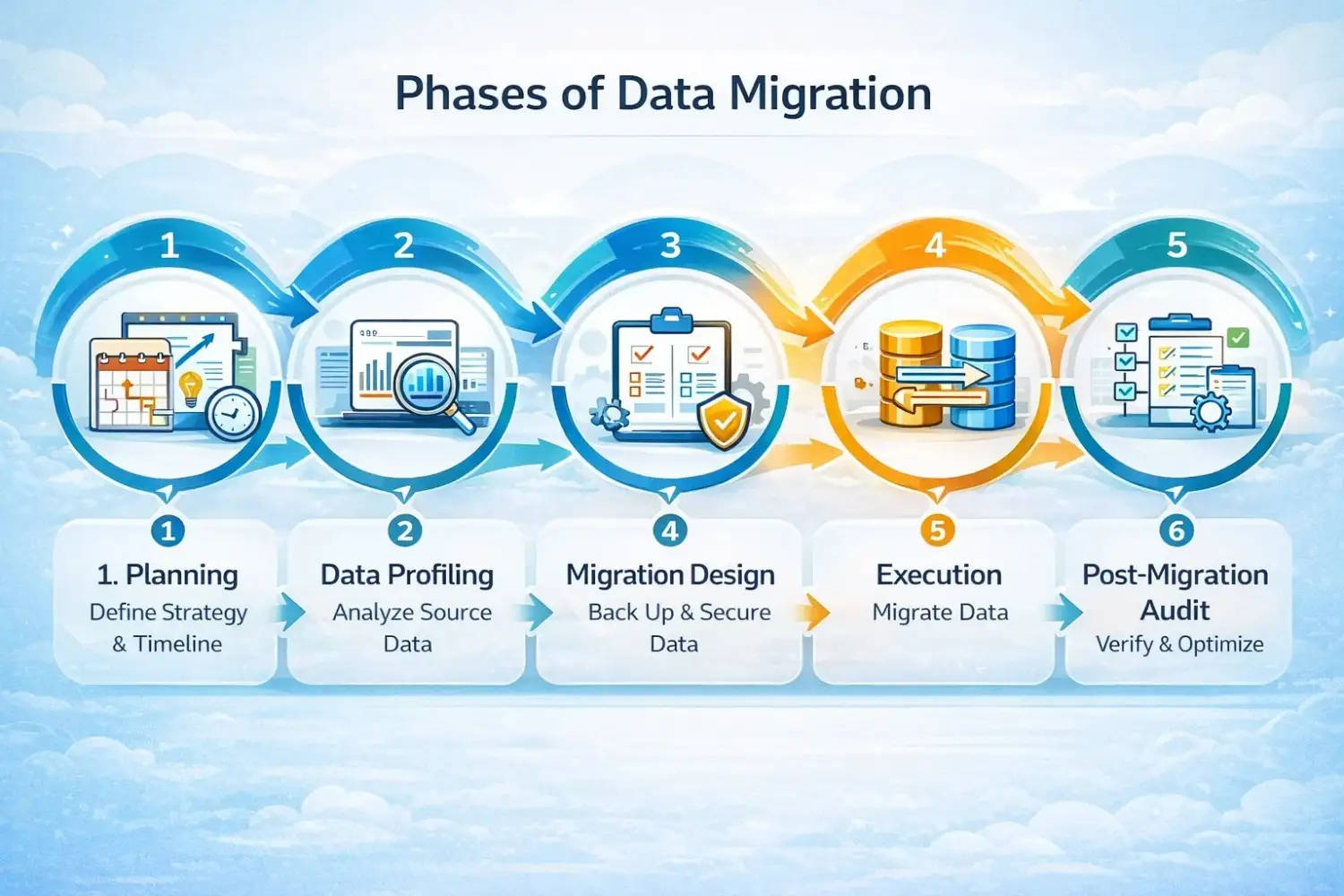
After experiencing and studying multiple successful data migrations, here is what I have learned:
There is a proven data migration methodology that can ensure data migration with minimal risk and issues.
Let’s explore the steps experts recommend for an ideal data migration process:
Step 1: Taking Inventory of Your Data
Before any migration of your data can occur, it is important to understand it. This means familiarizing yourself with your own data and its quantity.
What You Will Do:
- Catalog every data source and format you have
- Map the entire database for tables and schemas
- Understand the apps you use for data management
- Identify the user patterns and their dependencies
- Find any “hidden” data in your workflows
Why This Matters:
Many times, companies discover critical data they did not even know existed during the migration. This can lead to complications and even data loss.
Step 2: Assessment and Planning
Now that you know your data, it is time to develop the right strategy. This includes your data migration planning.
Categorise your data using factors like:
- Data that needs to be migrated vs deleted
- Data structures that need to change after migration
- Applications that should be migrated or replaced
- Security policies that will require updation
- Sequencing the data migration process
Step 3: Data Profiling and Cleansing
Before the data can be moved, it’s important to clean it. This is what is referred to as data profiling and cleansing.
Things to Check:
- Any missing fields that have no data
- Duplicates in your current data records
- Inconsistencies like “NY” instead of “New York”
- Values that don’t really make sense
Step 4: Data Mapping
Many data mapping techniques can help your system bridge the gap between old and new formats. For example, “cust_ID” in your old system can be “customer_id” in your new one.
You can map your data by doing things like:
- Matching every field between its source and target
- Accurately defining data transformation rules
- Handling conversions like text to numbers
- Making sure every mapping decision is documented
Step 5: Migration Execution
Done with the basic checks? Let’s get started on the core migration process!
For any secure data migration, it’s important to move your data in chunks.
Follow principles like:
- Testing your data migration first
- Minor the move closely
- Ensure you have a data rollback plan ready
- Communicate with your users clearly
Here are the Data Migration approaches you can use:
| Approach | How It Works | Best For |
| Big Bang | Move everything at once | Small systems, planned downtime |
| Trickle | Move in phases over time | Large systems, minimal downtime |
| Parallel Run | Both systems run together | Critical systems, zero tolerance for error |
Step 6: Validation and Testing
Done with your data migration process? Now, it’s time to check if everything worked properly.
Validate your data by:
- Recording and matching data counts between systems
- Ensuring key fields contain the right values
- Making sure relationships between data remain the same
- Checking if applications work the same with the new data
- Rechecking if users can access the data they need
Step 7: Cutover and Decommissioning
Once you have properly validated your data, it is time to switch over to the new system.
This also means stopping and formatting your old system (only after taking a full backup).
Here are the cutover steps:
- Syncing your data for any last-minute changes
- Updating the configuration of your applications
- Redirecting users to the new system
- Monitoring the new system for errors
- Celebrating your successful move!
Step 8: Optimization
Completing your data migration does not mean the work has ended. You now need to make sure the migration was actually worth it!
To get the most out of your new system, make sure that you optimize it.
Optimization includes focusing on areas like:
- Performance tuning
- Optimizing your costs
- Training and supporting users
- Improvements in the system processes
Conclusion
If done using the right data migration strategy, the entire data migration process becomes very easy. Just make sure that you don’t skip any steps!
Remember, the goal is not just to move your data. It is about ending up with a cleaner system that works better than before.
For any major data migration, you will require an expert by your side. They can ensure that every step is followed and utilized to its utmost potential.
My recommendation? Collaborate with the professionals at Augmented Systems. They will ensure that your data migration is as easy as possible with minimal downtime and data loss.
Having years of experience in the field, the experts at Augmented are already aware of what to expect in a data migration process. This enables them to protect their partners (such as yourself) against any problems.
Contact the team at Augmented Systems today to move your data without any risks or stress!
FAQs
1. What are the key steps in the data migration process?
The main data migration steps include discovery and inventory, assessment and planning, data profiling and cleansing, data mapping, execution, validation, cutover, and optimization. Following this structured data migration methodology ensures a smooth transition with minimal risk.
2. Why is data profiling and cleansing important?
Data profiling and cleansing help you identify and fix errors like duplicates, missing values, and inconsistencies before migration. Without it, you’ll transfer dirty data to your new system, creating more problems down the road.
3. What are common data mapping techniques?
Data mapping techniques involve matching source fields to target fields, defining transformation rules, and handling type conversions. Good mapping ensures that data ends up in the right place, with the right format, in your new system.
4. When should a business hire a data migration consultant?
You should hire a data migration consultant when you’re dealing with complex systems, large data volumes, or limited internal expertise. A consultant brings proven data migration strategy experience to avoid costly mistakes.
5. How long does data migration planning take?
Data migration planning typically accounts for 30-40% of your project timeline. Rushing this phase leads to problems later. Proper planning includes discovery, risk assessment, and the creation of detailed migration specifications.