
Categories
Blog Data Visualization

Tableau vs Power BI: Which BI Tool Should You Choose?

With so many options, choosing the right business intelligence tool can be tough

Mainly, you will hear about two main choices. These are

  • Tableau
  • Power BI

Both are powerful ways of creating beautiful dashboards

But which one is right for you

To answer this question, I have created this detailed guide. It compares the benefits and weaknesses between Tableau and Power BI

Let’s get started. 


Tableau vs Power BI: Quick Overview


Here is a short comparison between these two data tools

Factor Tableau Power BI
Best for Complex data exploration Microsoft shops and budgets
Ease of use Steeper learning curve Easier for Excel users
Pricing More expensive More affordable
Data size Handles huge datasets well Good for medium to large
Visualization Industry-leading flexibility Good, improving quickly


Tableau or Power BI consulting services helping businesses choose the right BI solution


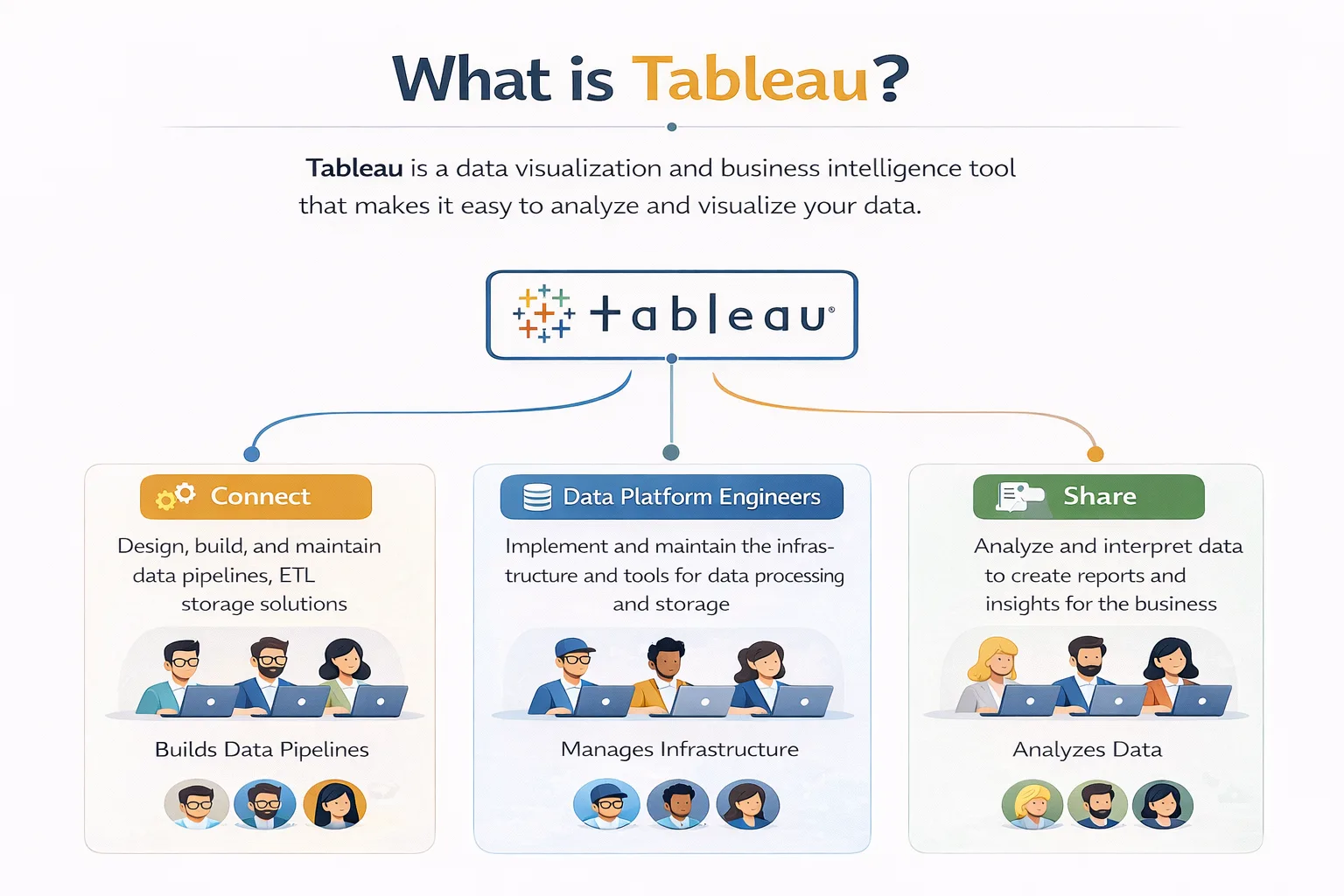
What is Tableau? 


What is Tableau data visualization tool used for business intelligence and data analysis


Tableau is a software used in data visualization services. It is mainly meant for exploring your data.

It was founded back in 2003 and rapidly became popular for the insights it generated

With Tableau, one can easily create visualizations from the available data

You can also drag and drop important data points in this program without having to write any code.

Thus, Tableau is a great data tool for data analysts and scientists. It supports deeper exploration into data points with minimal confusion. 


What is Power BI?


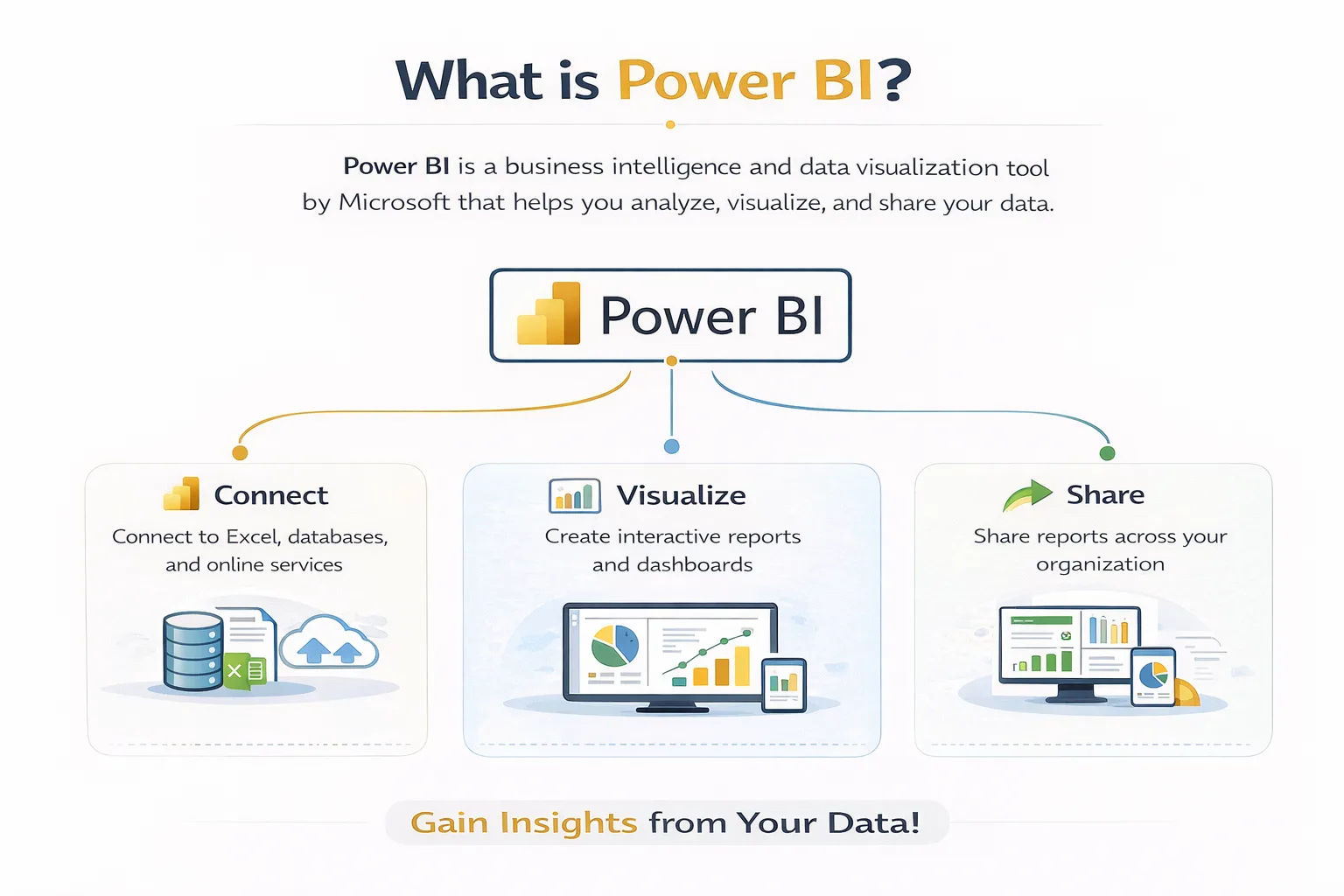
What is Power BI Microsoft business intelligence and data visualization software

Power BI is a Microsoft-developed software alternative for data analysis.

It was launched in 2014 and has been rapidly gaining popularity among its users

One of the best benefits of Power BI is its integration capabilities. It can easily connect to other Microsoft products using Power BI consulting

This makes Power BI ideal for businesses already working with Microsoft tools. 


Tableau vs Power BI: Key Differences


Let us now compare Power BI vs Tableau in greater depth. 

  • Ease of Use

In terms of ease of access, Power BI is a clear winner. 

The interface seems very familiar as it resembles Excel. Most business users can thus create basic reports without advanced learning.

In comparison, Tableau takes significantly more time to learn. 

  • Data Visualization

Tableau is a lot more flexible than Power BI. It can handle complex interactive visuals with ease. 

But Power BI is slowly catching up. This is because Microsoft continues to add new visual types to Power BI. 

  • Pricing 

Costs are where Power BI is a clear winner. It costs only about $10-14 per user per month. 

Tableau is significantly pricier. It can drive your costs up to $70-75 per user per month. 

For large enterprises, the high costs of Tableau can quickly add up. 

  • Data Connection

As I said before, Power BI has deep integrations with Microsoft products. Sources like Excel, Azure, and SQL are easy to set up. 

Tableau is great at everything else. Alongside Microsoft sources, it supports over 80 additional data sources.

Thus, for cloud databases and big data platforms, Tableau is the better choice. 


When to Choose Power BI


So, is Power BI better than Tableau? 

The answer depends on your situation. 

Here are scenarios where Power BI makes more sense: 

Situation Why Power BI
You use Microsoft tools Native integration with Excel and Azure
You have a tight budget Much lower per-user cost
Your team knows Excel Similar interface, faster adoption
You need basic dashboards Power BI handles most business needs


When to Choose Tableau


In comparison to Power BI, here is when you should use Tableau instead:

Situation Why Tableau
You explore complex data Tableau’s drag-and-drop exploration is unmatched
You need advanced visuals More customization and flexibility
You handle huge datasets Tableau performs better at scale
You have a budget for training Steeper learning curve, but more powerful


Can You Use Both Tableau and Power BI?


Yes, absolutely! 

Many companies use both Tableau and Power BI together for better efficiency. 

Here is how this hybrid approach works: 

  • You can use Power BI to handle standard reporting and dashboards
  • Switch over to Tableau for deeper data exploration and complex insights


Quick Decision Guide 


Still confused between the two tools? 

Here are my recommendations based on your needs: 

Question If Yes If No
Do you use Microsoft tools? Lean toward Power BI Consider Tableau
Is the budget a concern? Power BI Tableau is fine
Do you need advanced visuals? Tableau Power BI works
Does your team know Excel? Power BI Either tool works
Do you explore huge datasets? Tableau Both are fine


Business intelligence dashboard development services for better data visualization and analytics


Conclusion 

Comparing Tableau and Power BI clearly shows that both offer unique benefits

Power BI is great for businesses already using Microsoft tools. It provides standard data reporting at lower costs

Meanwhile, Tableau is an advanced tool that supports larger datasets. It can handle deeper data exploration at a premium price

To ensure you choose the right tool, I suggest partnering with a software consultant

You can gain better clarity by consulting our team of industry experts at Augmented Systems

We can help your business both select and implement the right Power BI tools. Moreover, our data analytics consulting keeps you up to date with the latest tools

Also, you will receive the clear, useful insights you need to scale your business today

So, are you ready to see your data more clearly? Simply contact Augmented Systems today and receive a free consultation for your data needs! 


FAQs 

1. Which is better: Tableau or Power BI?

The answer to the question of Tableau vs. Power BI depends on your needs. Power BI is better for Microsoft shops and tight budgets. Tableau is better for complex data exploration and advanced visuals. Both are excellent data visualization tools.

2. Is Power BI better than Tableau for beginners?

Is Power BI better than Tableau for beginners? Yes. Power BI has a gentler learning curve, especially for Excel users. Tableau is more powerful but takes longer to master.

3. Can I use both Tableau and Power BI together?

Yes, many companies use both Tableau and Power BI. Power BI handles standard corporate reporting. Tableau handles deep data exploration and complex visualizations. They complement each other well.

4. What are the main differences between Tableau and Power BI?

The main differences between Power BI and Tableau are pricing (Power BI is cheaper), ease of use (Power BI is easier), and visualization flexibility (Tableau wins). Your choice depends on budget, team skills, and data complexity.

5. Which data visualization tool should my business choose?

Consider professional data visualization services if you’re unsure. Experts can assess your needs, data sources, and budget to recommend the right tool. They can help you decide whether you need Tableau, Power BI, or both.

Categories
Blog Data Visualization

What Is Power BI and Why Businesses Use It for Data Analytics

Your entire business might be dependent on data.

But your data is useless if you cannot understand it.

For that, you need a unified system. One that combines your financials and customer data in a single view.

That is where Power BI dashboards come in. They provide the data insights your company needs.

Power BI is a business analytics tool that refines your messy data. It turns into clean, actionable reports.

So, what is Power BI? And how can it help your business?

Don’t worry, as I have created this guide just to answer that question!

With this guide, you will learn how to gain live visuals from your data. These will help you improve your business’s efficiency.

Let’s get started by first understanding the definition of a Power BI dashboard.

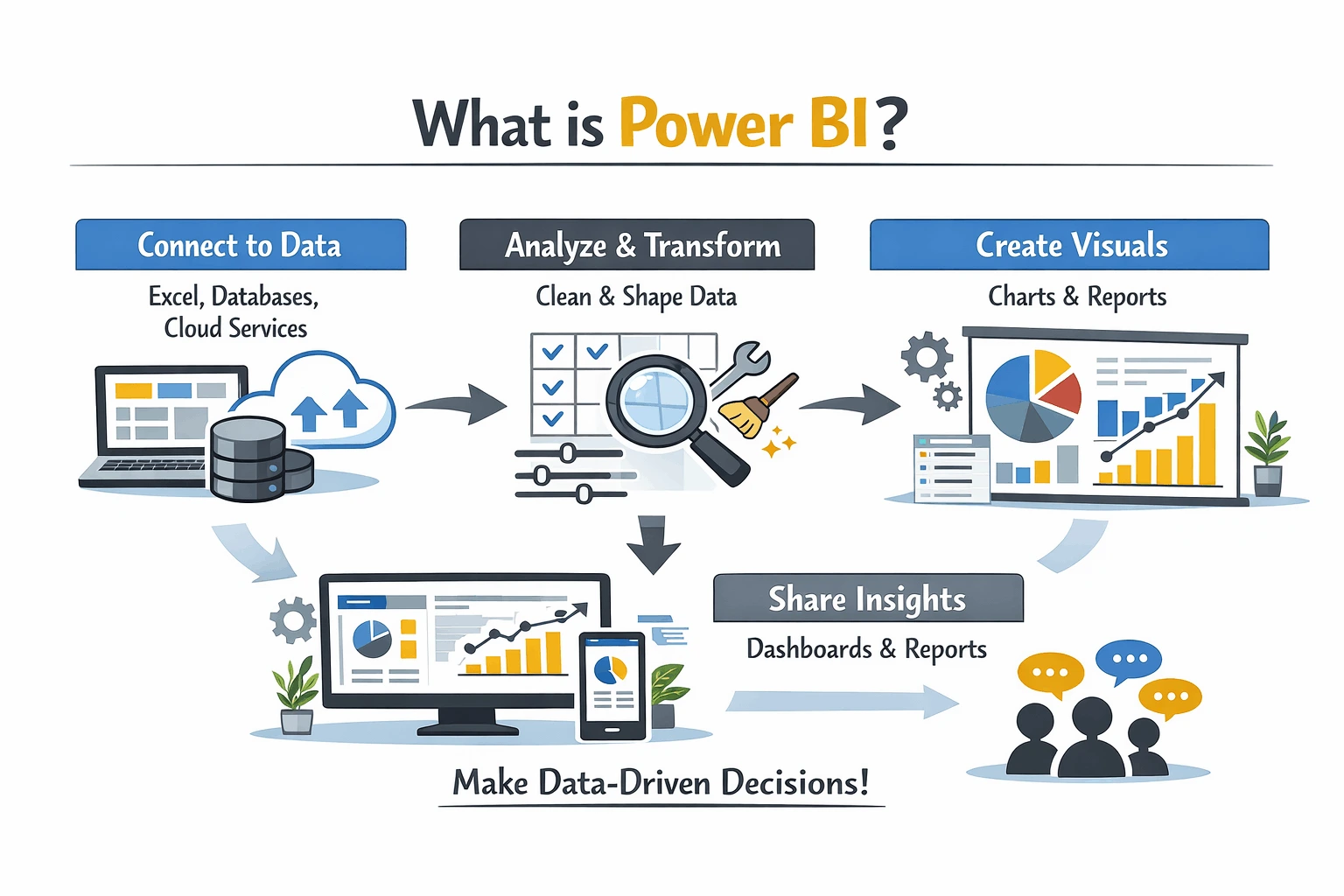
What is Power BI? Illustration explaining what Power BI is, including data connection, transformation, visualization, and dashboard insights workflow

In easy terms, Power BI is a tool that helps you both see and understand your data.

Think of it as a suite of tools used for business analytics that are powered by Microsoft. These tools help you prepare your data for analysis and gain valuable insights.

Here is what makes Power BI reporting so special:

  • Visual

Power BI converts your boring data rows into colorful charts and graphs.

  • Interactive

Instead of sheets, you will get clickable charts that update automatically.

  • Shareable

Boost your teamwork with online reports that work for your entire staff.

Why Businesses Use Power BI for Data Analytics?

Using Power BI for data analytics consulting has become crucial for any modern business.

Power BI dashboard and data visualization services helping businesses see data clearly and make informed decisions

Here are the reasons why:

  • Connect Everything Seamlessly 

You might be juggling multiple sheets and platforms at your workplace every day. Keeping your CRM and accounting separate adds to your workload.

But that is not the case for teams empowered by Power BI features.

With over 100 connections available, Power BI merges your data in a single place. This means no more switching between multiple systems for accurate data.

  • Create Visually Stunning Dashboards

One of the highlights of a Power BI dashboard is how it makes data easy to understand.

Power BI becomes your command center. It provides major metrics at just a glance.

Moreover, it also enables cross-team data integrations. This means easier executions and everyone staying on the same page.

Using Power BI, tracking your sales and inventory also becomes easier than ever!

  • Benefit From Shared Insights Across Your Teams

You might think Power BI is just a tool for analysts.

But in reality, its easy navigation makes it a tool for everyone!

Using Power BI, your teams can collaborate using the same data. This means sharing reports through online Power BI services.

You can also use apps and email subscriptions to make sharing easier. Moreover, Power BI also connects seamlessly with Microsoft Teams and SharePoint.

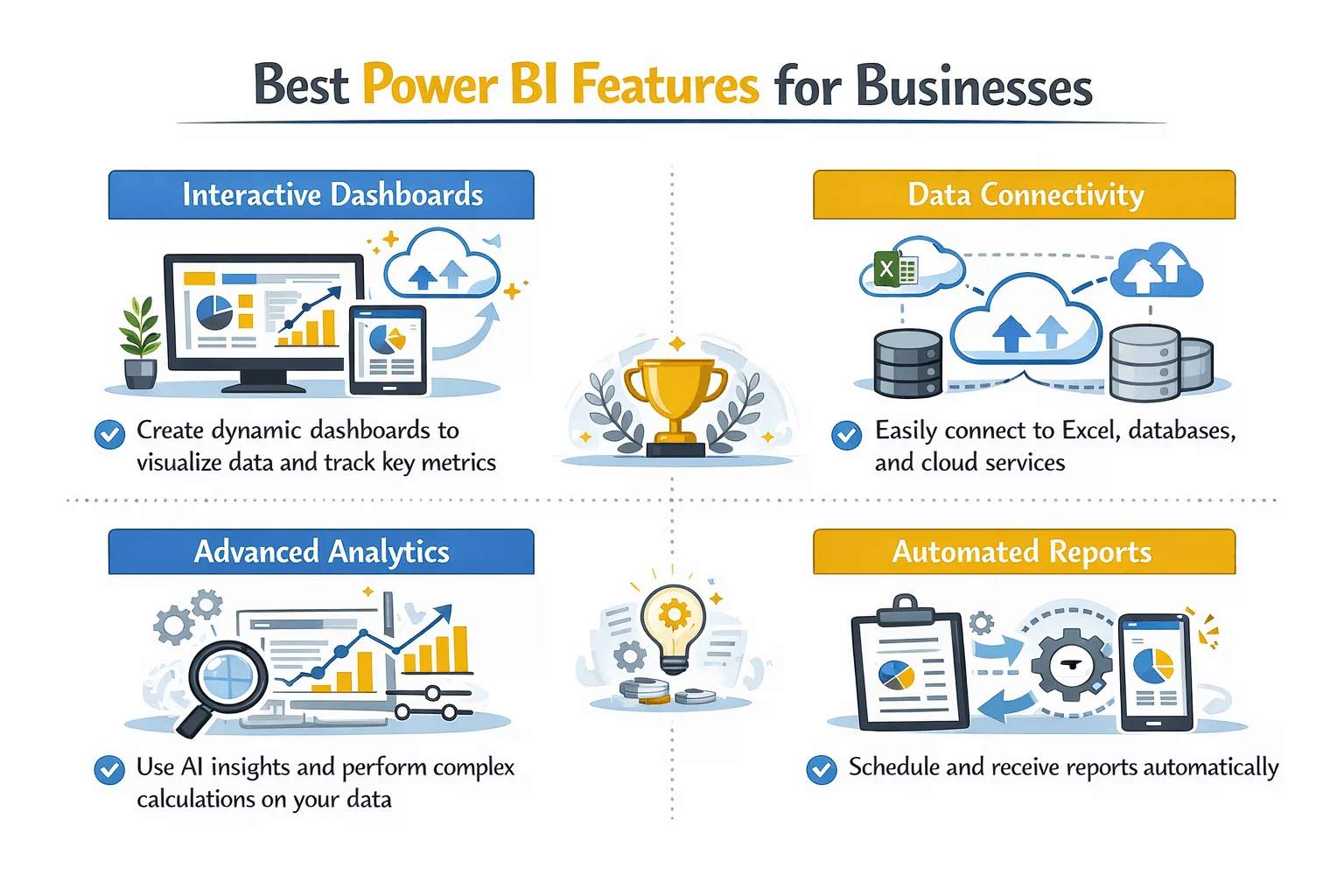
Power BI features for businesses including interactive dashboards, data connectivity, advanced analytics, and automated reporting

Best Power BI Features For Your Business 

While the Power BI features list is long, here are my top recommendations:

  • Rich Visualizations 

The core benefit of Power BI is its offering of over 150 data visualization services.

Whether it’s standard charts or complex maps, Power BI has got you covered. It even supports custom visuals you can build yourself.

Using Power BI, you can visualize sales over time and easily gauge performance.

  • Powerful Interactivity 

A great benefit of Power BI is how it makes data insights interactive.

Simply click on a visual and all related visuals update automatically.

For example, clicking “Q3” on a sales chart opens your entire quarter. You can then check your profits and customer map neatly on your dashboard.

  • Queries in Natural Language 

You don’t need to be an analyst to use Power BI. Just type questions in plain English and see your visuals come alive.

Queries like “show my total sales in this region” work very well. It makes it easier to use Power BI for your business.

  • AI-Powered Insights 

Power BI has built-in AI features that track errors and data patterns.

Using them, you can verify your data and generate reports using simple natural language.

Just click on a report or insight and select “Explain this increase”. Power BI will automatically analyze the data to provide an accurate result.

  • Consistent Metrics 

Using Power BI, you can create a single source of truth for your entire business.

It computes all of your data to provide consistent answers to your queries. This helps in keeping everyone on the same page.

Power BI Tools Included with the Platform 

Here are the Power BI tools you can use through the platform:

Tool What It Does Who It’s For
Power BI Desktop Free desktop app for building reports Analysts and report creators
Power BI Service Cloud-based sharing and collaboration Teams needing to share insights
Power BI Mobile iOS and Android apps On-the-go access to dashboards
Power BI Report Builder Create paginated reports Finance and operations teams
Power BI Embedded Embed reports in custom apps Developers

Power BI Reporting Examples 

Using Power BI, you can interactively report on your data.

Here are real-life scenarios where Power BI can help you:

Report Type What It Shows Who Uses It
Finance Insights Trial balance and financial statements CFO, finance team
Sales and Billing Sales order volumes and revenue trends Sales director
Accounts Payable Aging reports and payment trends Accounts payable team
Opportunity Insights Sales pipeline health and deal progression Sales managers

Getting Started with Power BI

Are you ready to try Power BI for your business?

Consider following these simple steps:

  1. Download the free Power BI Desktop platform
  2. Connect your data sources 
  3. Start building a simple chart by dragging fields across the canvas
  4. Create your dashboard by pinning your charts
  5. Finally, share your new dashboard with your team online

Data analytics and business intelligence solutions transforming data chaos into actionable insights for businesses

Conclusion

So, what is Power BI?

As we have seen, it is a tool that can turn your data into usable insights.

Whether you are a small emerging business or a global enterprise, Power BI can make you more efficient.

It helps save costs and make informed decisions for your business.

But to truly unlock its true potential, you will need a software partner by your side. Someone with real-world experience with Power BI.

For you, that partner is Augmented Systems. They are your best bet towards making Power BI work for your company.

Augmented Systems has decades of experience solving real-world business problems. They can provide you with the Power BI consulting you need.

Their experts can customize Power BI dashboards for your work culture. Moreover, they can also help you create and implement your Power BI dashboards. 

Consult Augmented Systems today to start using your data in the best possible way! 

FAQs 

1. What is Power BI in simple terms?

What is Power BI? It’s Microsoft’s tool that turns your messy data into easy-to-understand charts and dashboards. Think of it as Excel charts on steroids, but interactive and live.

2. What are the main Power BI benefits for businesses?

Power BI benefits include faster decision-making (see data in real time), a single source of truth (everyone uses the same numbers), lower costs (about $10-14 per user per month), and beautiful dashboards anyone can understand.

3. What does a Power BI dashboard look like?

A Power BI dashboard is a single screen that shows your most important metrics at once. This includes sales trends, customer data, and financial performance. Click on any chart, and everything else updates automatically.

4. What Power BI features should I know?

Key Power BI features include 150+ chart types, natural language queries (just type your question), AI-powered insights, and the ability to share reports in Teams or on mobile phones.

5. What Power BI tools are included?

Power BI tools include Power BI Desktop (free for building reports), Power BI Service (cloud sharing), Power BI Mobile (phone apps), and Power BI Report Builder (for printable reports).

Categories
Blog IT Consulting & Services

Business IT Consulting Services: A Complete Guide

In today’s fast-paced world, technology dominates every global market.

For most business owners, this means adapting to new things regularly.

Whether it’s AI or automation, every business needs to stay up to date. Their technologies now guide everything from sales to their team management.

So how can you achieve this with outdated systems? What should be your first step towards modernization?

The answer is business IT consulting services. This is the secret sauce that will help you compete against your rising competitors today.

In this guide, I will help you understand exactly what these IT consulting services are.

Moreover, we will also go into detail about why you need them. Lastly, I will even help you choose the right partner for your needs.

Let’s start by first understanding what exactly IT consulting services are.

What Are Business IT Consulting Services?

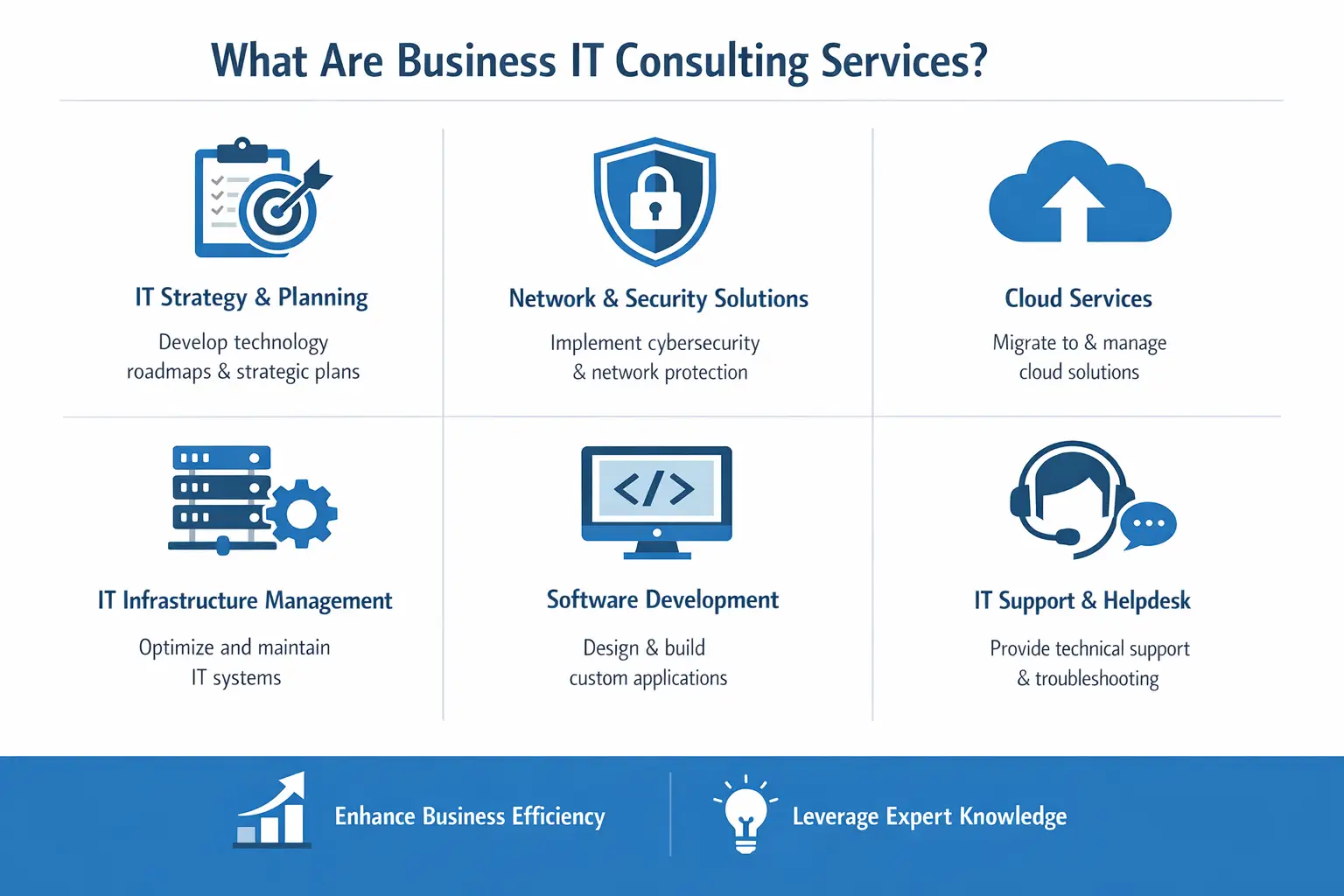
Overview of IT services: strategy, network security, cloud migration, infrastructure management, software development, and helpdesk support.

To put it simply, business technology consulting services provide ways to solve business problems through technology.

You can think of an IT consultant as a strategic technology advisor. They can help you:

  • Plan ahead for your future growth
  • Get rid of the current IT issues
  • Vastly reduce your costs
  • Protect against cyber attacks
  • Modernize your current system 
  • Provide better Data Intelligence insights

According to Gartner, this digital technology consulting market is seeing exponential growth. This is mainly due to a rising demand for AI and better online security.

What Can an IT Consultant Do for Your Business? 

Here is a short overview of the most common services:

Service Area What It Means Why It Matters
Technology Roadmap 2-3 year plan for upgrades and growth Accurate future planning
Cybersecurity Risk assessments, policies, and employee training Secure your business against attacks
Cloud Migration Moving systems from servers to the cloud Lower costs, better access
Cost Optimization Finding unused licenses and overpayments Saves on IT spending
Digital Transformation Modernizing outdated processes Stays competitive in your industry

Benefits of IT Consulting Services

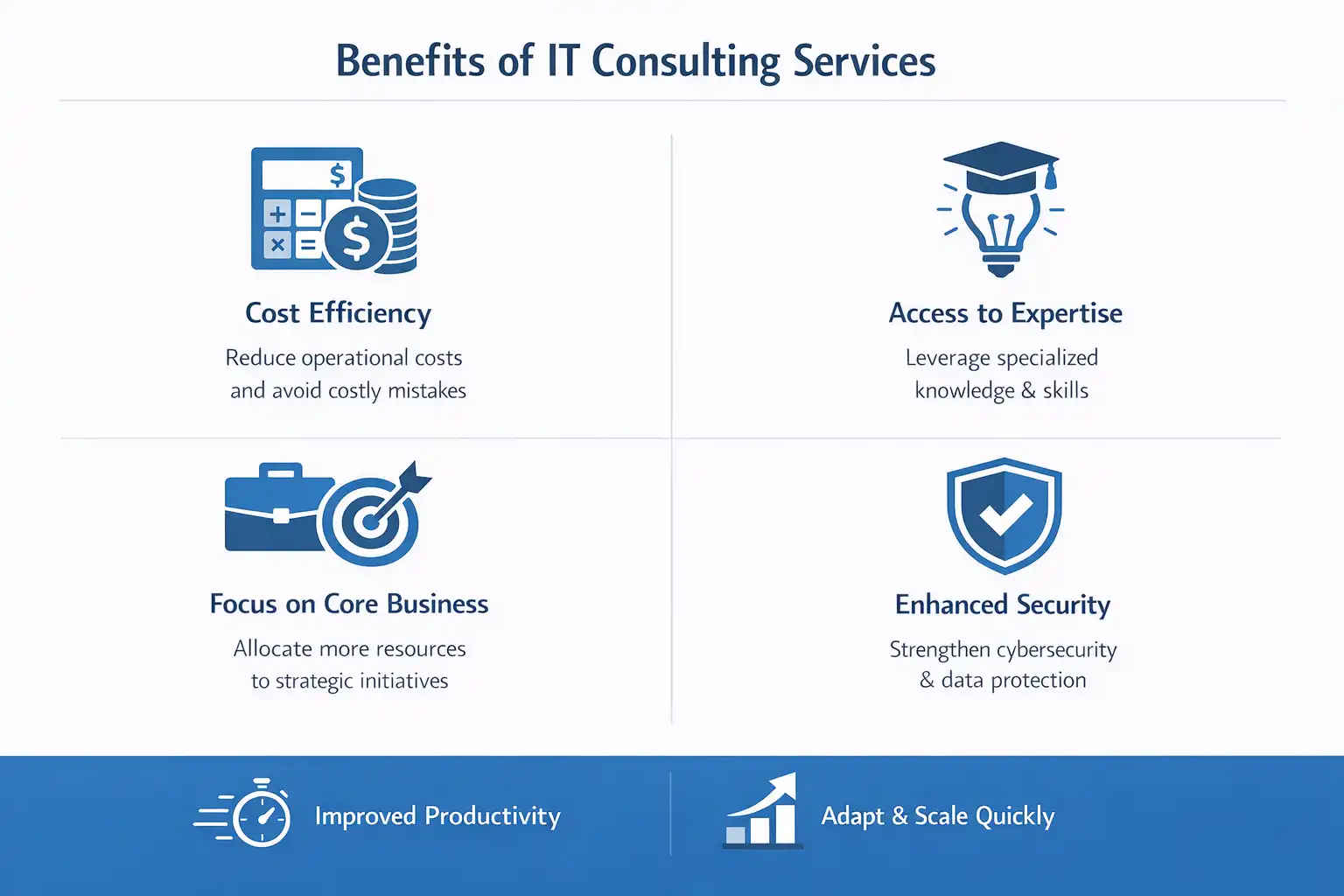
Infographic showing IT consulting benefits: cost efficiency, expert access, business focus, enhanced security, productivity, and scalability.

Wondering why you should care about hiring a business IT consultant?

Here are the main advantages of availing their services:

  • Access to a knowledgeable expert

Many SMEs cannot afford a dedicated cybersecurity officer, let alone a cloud architect.

But with IT consulting, this becomes unnecessary. They provide access to multiple dedicated experts at a fraction of the cost.

  • Lower Costs

Hiring a consultant is usually much cheaper than an in-house team.

With a consultant, you only need to pay for what you need. No more salaries or training costs necessary.

  • Higher Security

As cyber threats continue to pose a threat to businesses, security has become vital.

Many small business IT consulting services mainly focus on increasing their security first.

This is because online security is often the weakest link in modern businesses.

  • Focus on Your Main Tasks 

The main aim of any technology is to make your life easier.

With a business IT consultant, this becomes truer than ever.

As they continue increasing your IT capabilities, you can focus on more demanding tasks.

Augmented Systems blog CTA banner offering expert IT consulting services to help businesses overcome technology challenges, featuring a Let's Talk button.

Types of IT Consulting Services 

There are several types of IT consulting services available for business needs.

Here are some of the main categories:

Type Focus Area Example
Strategic Consulting Long-term planning Creating a 3-year technology roadmap
Security Consulting Risk and compliance Implementing multi-factor authentication
Cloud Consulting Migration and optimization Moving servers to AWS or Azure
Digital Transformation Process modernization Automating manual workflows
Managed IT Services Ongoing support 24/7 monitoring and help desk

Top Small Business IT Consulting Services 

Small businesses have very unique needs when it comes to IT services.

They usually have a low budget but still need reliable access to technology.

Moreover, they face challenges like:

  • Outdated IT infrastructure
  • Lack of system integrations
  • Heavy cybersecurity loopholes 
  • Unpredictable spending on IT

With business IT consulting services, even small businesses can:

  • Create accurate technology budgets
  • Implement basic security protocols 
  • Provide easier scalability with cloud consulting services
  • Reduce wasted spending on subscriptions or software

How to Choose the Right IT Consulting Firm

Here is how you can choose the best IT consulting companies for your business:

  • Ask for Relevant Experience 

Make sure that you ask the consultant for their past client experience.

This will help you understand if they know your industry. It is a great step that can save you both time and money.

  • Prioritize Clear Communication

Make sure that you and your consultant understand each other.

If they provide overtly complicated solutions, you should probably keep looking.

  • Focused on Outcomes

The best kind of consultants will always promise specific business results.

Make sure you ask them how they measure success in their tasks. This will tell you how they work on a daily basis.

  • Check Their Security Expertise 

Your cybersecurity should be their core offering, not another add-on.

  • Flexible Engagement

You should look for consultants who can adapt to your working style.

This means offering different engagement models, like project-based and ongoing support.

When Should You Hire an IT Consultant?

Here is when you should consider hiring IT consulting services:

  • Your internal teams have difficulties juggling everyday tasks 
  • You are planning a major business upgrade
  • You recently went through a security issue 
  • You are looking to migrate your data to the cloud
  • Your business is growing and needs technology scaling

Augmented Systems blog CTA banner offering guidance on creating a technology roadmap for digital transformation, featuring a Get In Touch button.

Conclusion 

Technology is meant to solve issues, not create new problems.

With business IT consulting services, you can ensure real experts handle your IT.

Experts who can offer better solutions and guidance for your business.

So if you need a technology roadmap or better security, choosing the right consultant can make all the difference.

At Augmented Systems, our experts share this same mentality. They ensure that every business has the right technology solutions.

Our strategic planning has helped countless global businesses grow beyond their expectations. All due to our industry-leading business IT consulting in Australia & globally.

So, what are you waiting for? Retake control of your technology today.

Contact Augmented Systems now to receive a free consultation for your business!

FAQs 

1. What are business IT consulting services?

Business IT consulting services provide expert guidance on using technology to solve business problems. Consultants help with technology planning, cybersecurity, cloud migration, cost optimization, and digital transformation, without the cost of a full-time executive.

2. How can small business IT consulting services help my company?

Small business IT consulting services help SMBs create realistic technology budgets, implement basic security protections, plan upgrades without disrupting daily operations, and reduce wasted spending on unused software. You get enterprise-level expertise at a small-business price.

3. What should I look for in IT consulting companies?

When evaluating IT consulting companies, look for relevant industry experience, clear communication (no jargon!), a focus on business outcomes, strong security expertise, and flexible engagement models, such as project-based or ongoing support.

4. How much do IT consulting services typically cost?

IT consulting services pricing varies based on scope and engagement model. Options include hourly rates, project-based fees, or monthly retainers. While costs vary, hiring a consultant is almost always cheaper than building an in-house team with salaries, benefits, and training.

5. When should I hire business technology consulting services?

Hire business technology consulting services when your internal team is stuck firefighting, you’re planning a major upgrade or cloud migration, you’ve had a security incident, technology costs feel out of control, or your systems can’t keep up with growth.